Runs 100% locally — no cloud or subscription required

Better analytics for
your Substack™.

Export your data, drop in the CSVs. Real open rates, ghost subscribers, growth sources that actually convert.

Desktop app for Mac & Windows · No account · No internet required
StackStats
StackStats
StackStats
StackStats

Click the card behind to switch
What writers find

in their first 5 minutes.

~51%

of your opens might be bots.

Substack counts email scanner traffic as real opens. StackStats filters them out so you see your actual open rate.

Hidden.

Your biggest fans.

Substack doesn’t rank subscribers. StackStats scores every reader by opens, clicks, comments, and shares — so you know who they are.

Unknown.

Your best day and hour to post.

Not generic advice — computed from your own post history, with sample-size warnings so you’re not guessing from one data point.

Everything Substack™ doesn’t show you.

All computed locally. All actionable.

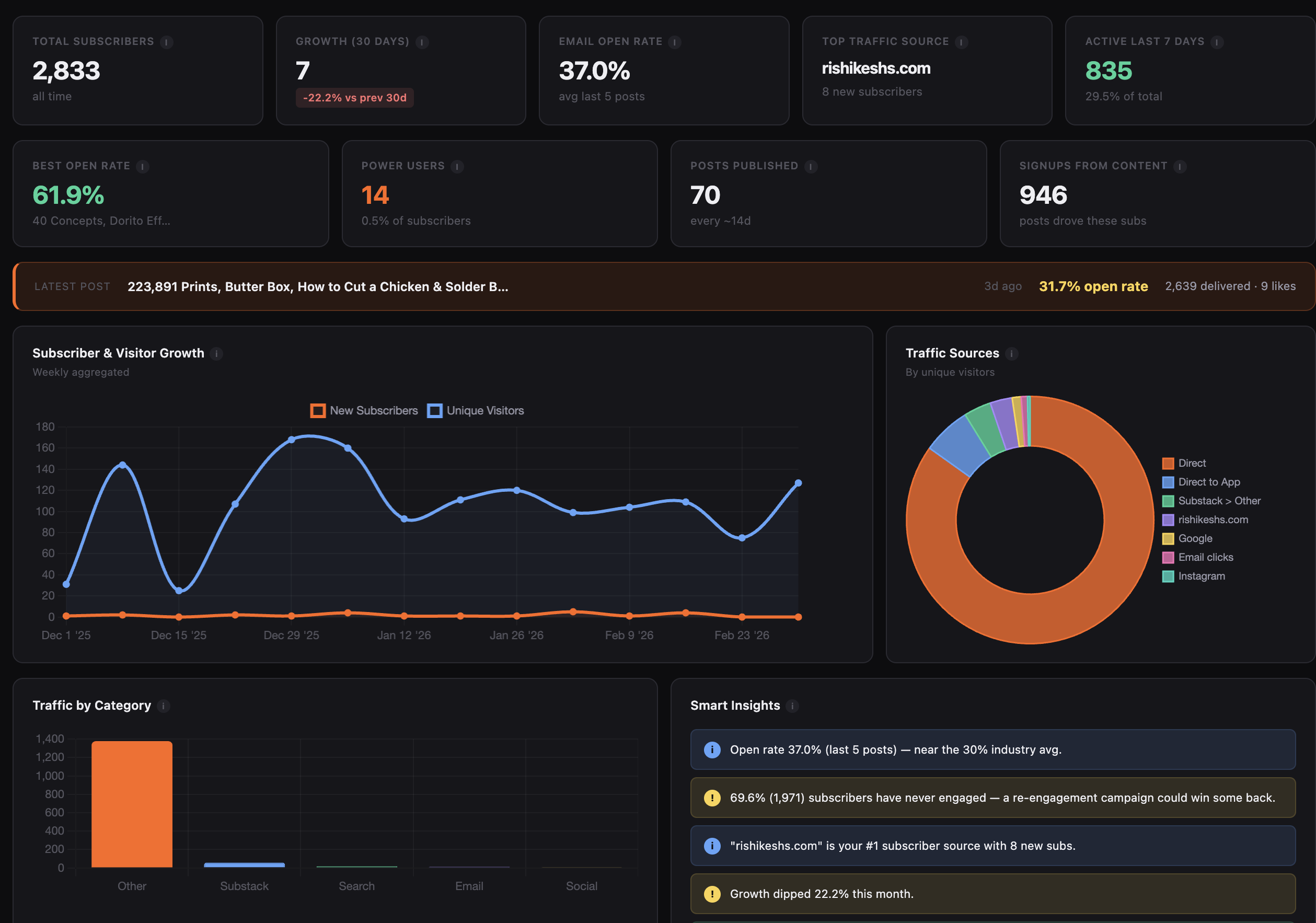
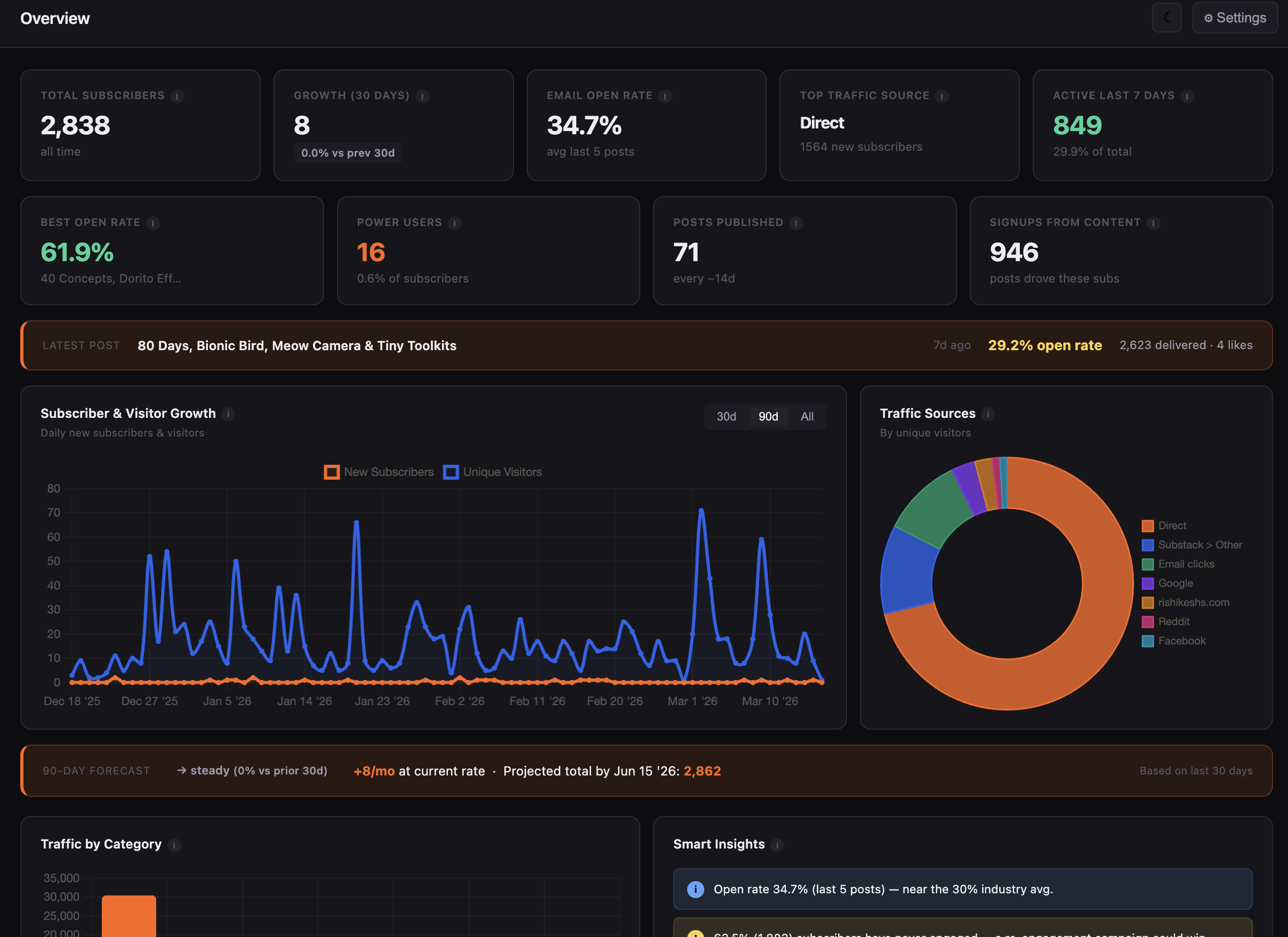
Overview
Overview tab
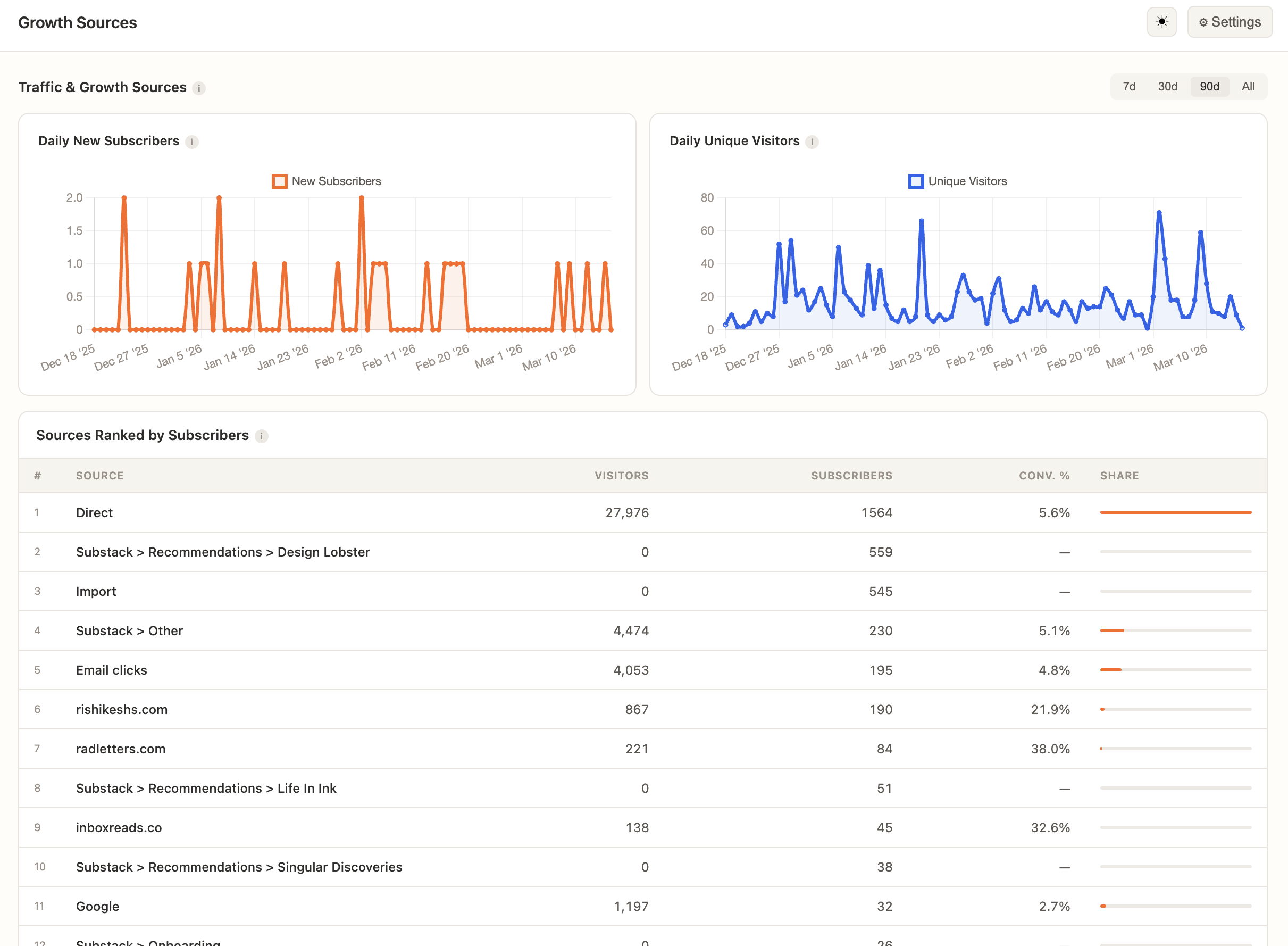
Growth Sources
Growth Sources tab
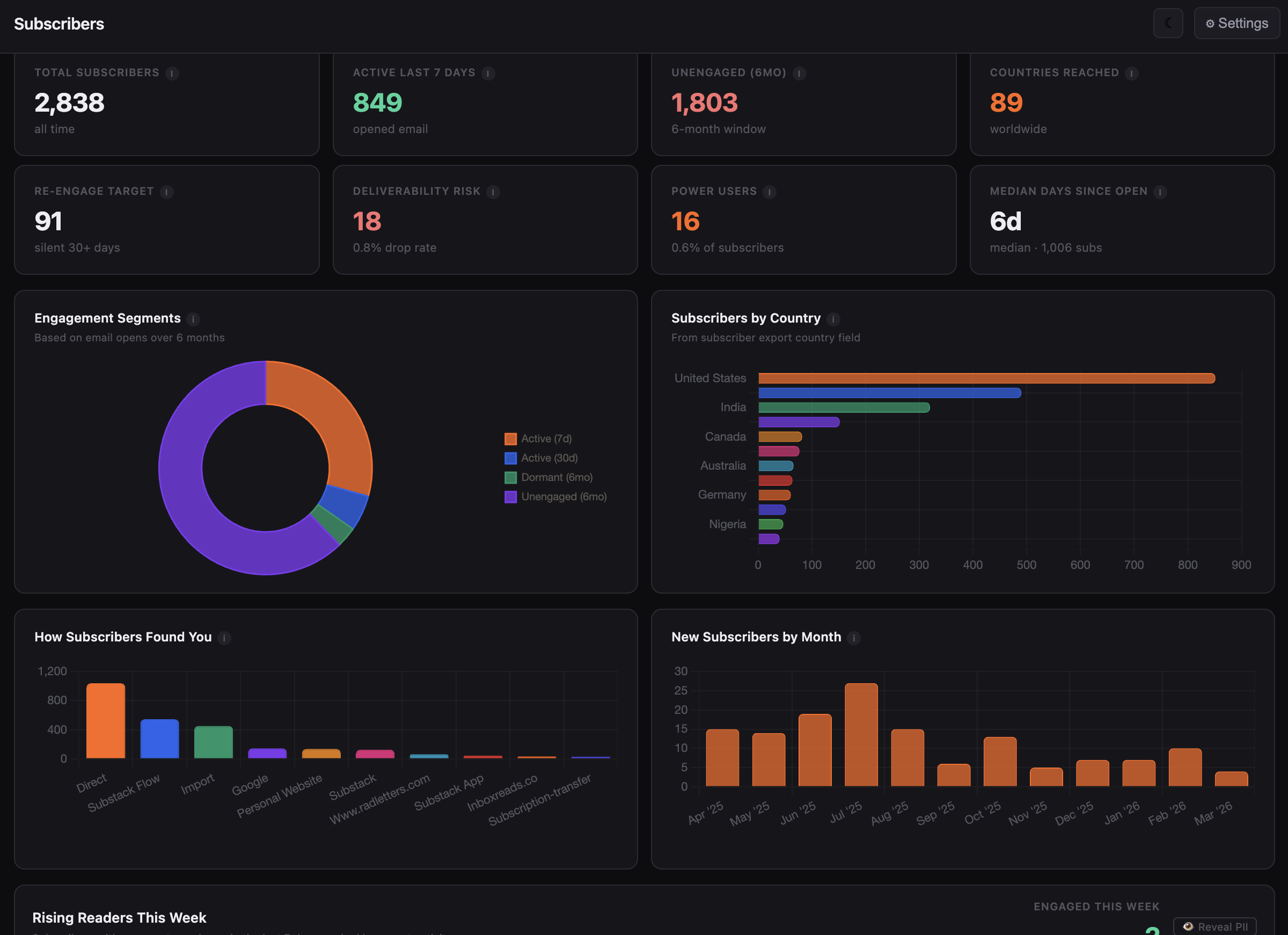
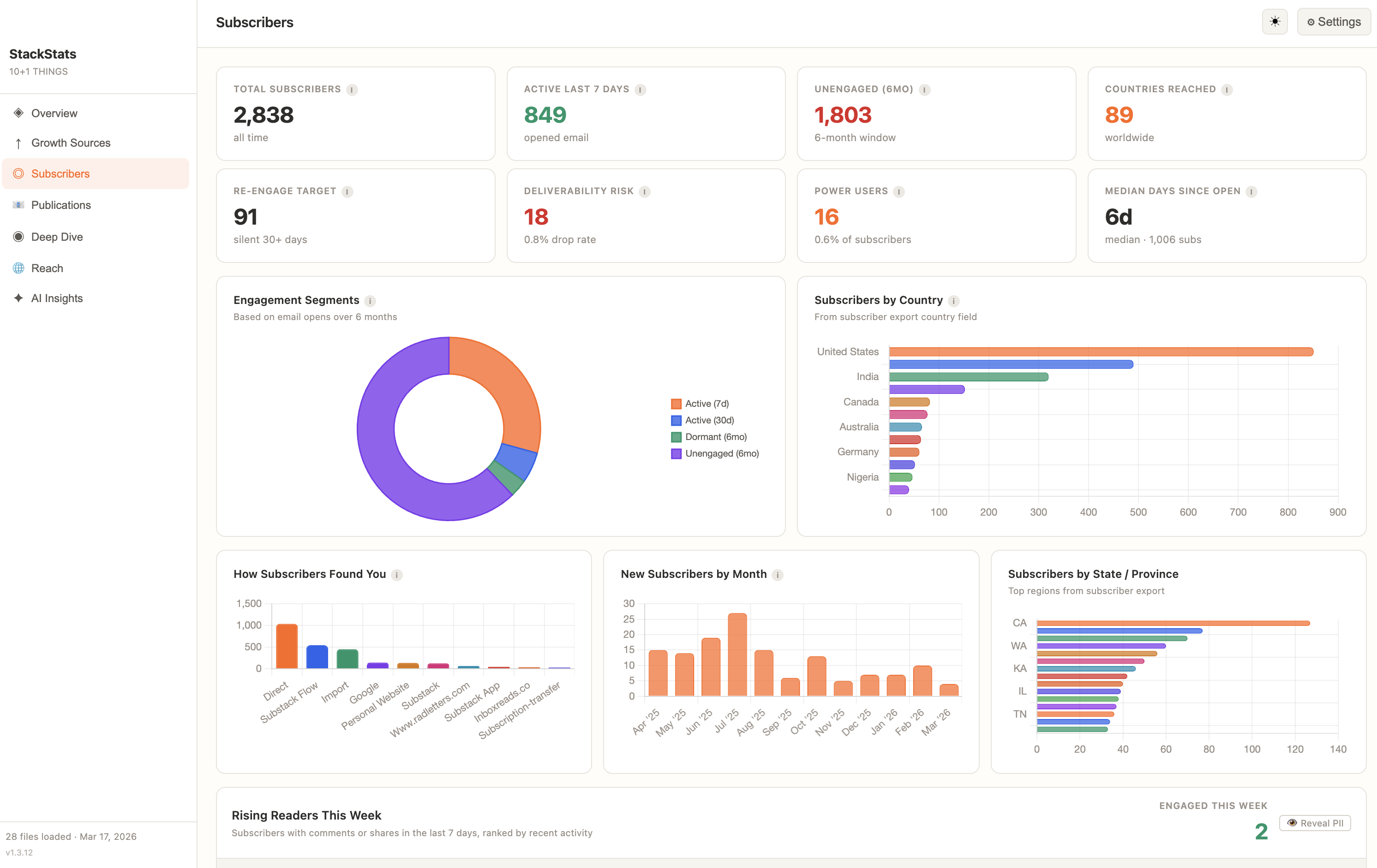
Subscribers
Subscribers tab
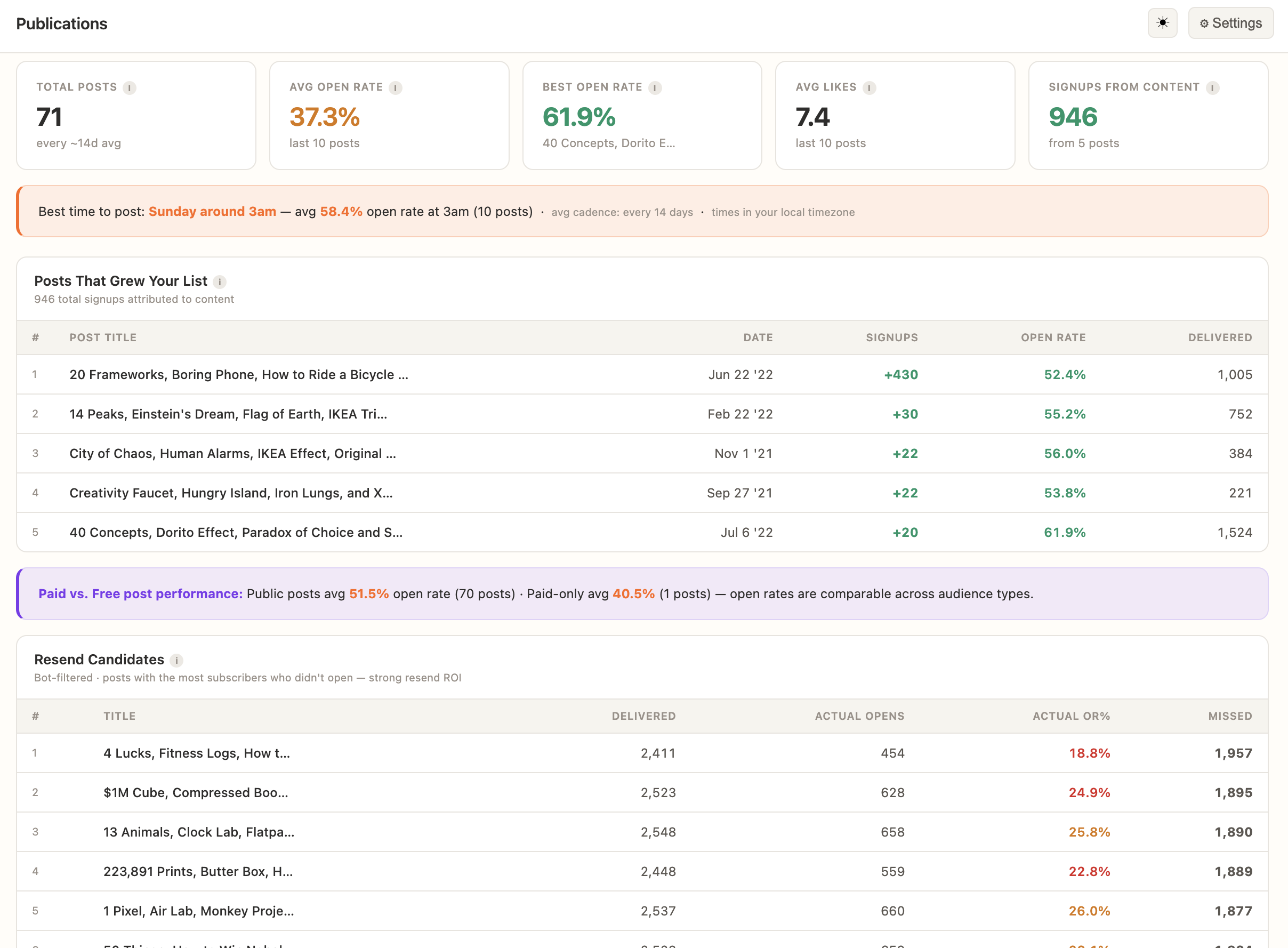
Publications
Publications tab
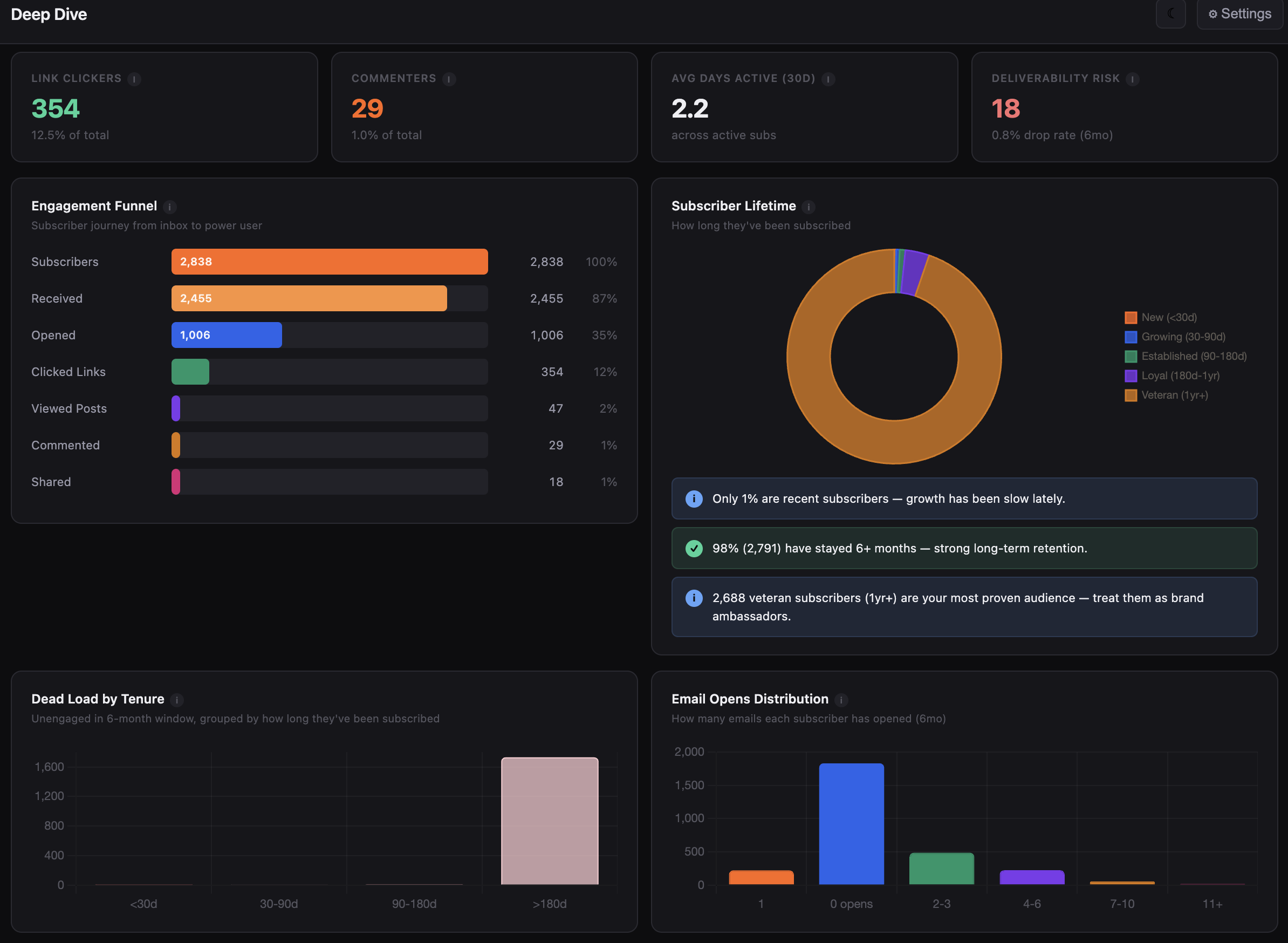
Deep Dive
Deep Dive tab
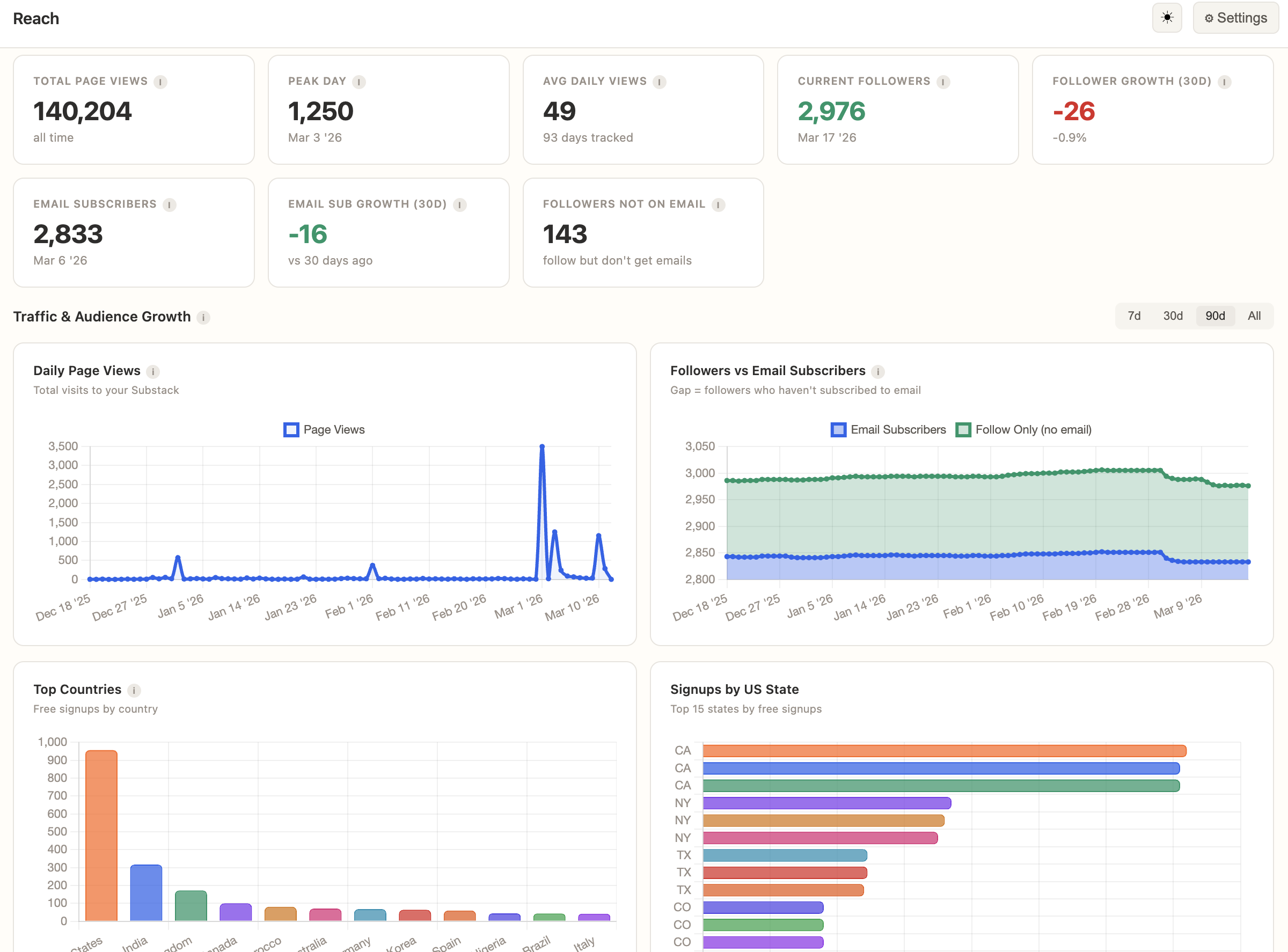
Reach
Reach tab
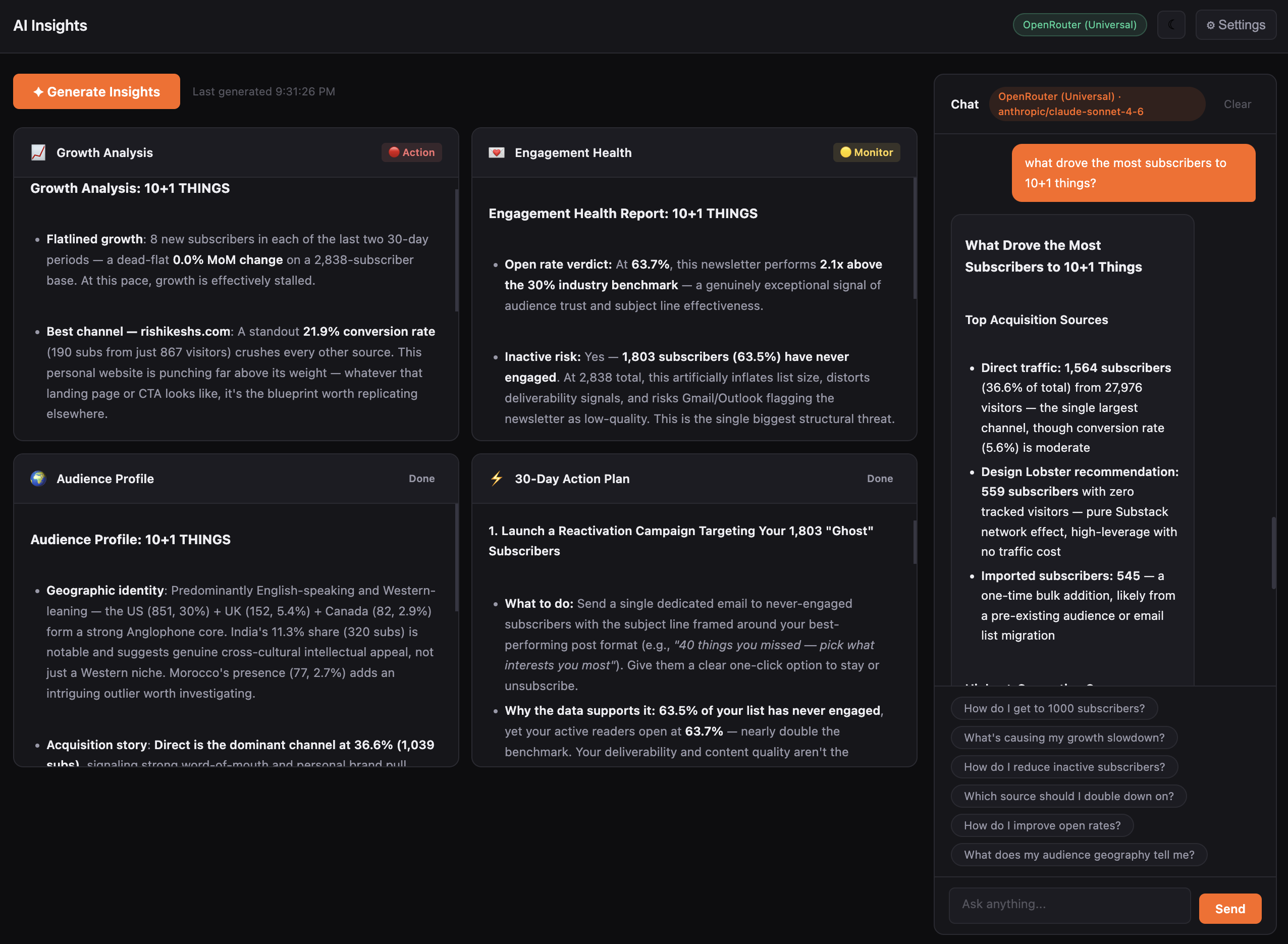
AI Insights
AI Insights tab

KPIs, 30-day growth, 90-day forecast, latest post performance — all at a glance.

Which sources actually convert — and which posts drove real subscribers.

Engagement segments, re-engage targets, power users, deliverability risk.

Best day and hour to post, top growth posts, resend candidates.

Cohort retention, open rate decay, engagement funnel, top readers scored 0–100.

Page views, follower vs. email growth, audience by country and US state.

Growth analysis, 30-day action plan, and a chat window that knows your data.

Optional

Want deeper analysis? Add AI.

All analytics work without AI. But if you want a 30-day action plan, growth strategy, or a chat window you can ask “why did my open rate drop last month?” — it’s one setting away.

Free & fully offline
Run Ollama locally

Install Ollama and run Llama 3, Mistral, or any local model. No API key. No cost. No internet.

No API key No internet No cost
or
BYOK
Bring your own key

Claude, GPT-4, Gemini, Groq, OpenRouter, or any OpenAI-compatible endpoint. Prompts go straight from your device to the provider.

Claude Claude OpenAI GPT-4 Gemini Gemini Grok Groq OpenRouter OpenRouter + Custom

Export CSVs from Substack. Select the folder. Done.

1

Export CSVs from your Substack dashboard

Download your data and save to any folder.

2

Select your folder

The app auto-detects every file type instantly.

Done.

Everything populates. Start exploring.

Rishikesh
Built by a Substack writer, for himself.
I write 10+1 Things, a weekly curated links newsletter on Substack with around 3,000 subscribers. I built StackStats because Substack’s dashboard couldn’t answer the questions I actually had. Who stopped reading. Which posts brought real subscribers. How many of my opens were just email scanners.

I use it every week to see how my readers are engaged. It’s the tool I wanted and couldn’t find, so I made it.
— Rishikesh  ·  10+1 Things on Substack →  ·  @rishikeshshari →

One payment. Yours forever.

No subscription. No account. No recurring charges.

1-Year
$39
  • Full analytics
  • Works fully offline
  • Optional AI via Ollama or BYOK
  • Mac & Windows Apps
  • 1 device
  • 1 year of updates & support
  • App yours forever
Perpetual license — app keeps working after year 1. Renew for $29/yr or don’t. Your call. How licensing works →
Get 1-year license →
✦ Best value
Lifetime
$129 $79
3 of 50 licenses claimed
  • Everything in 1-Year
  • Up to 3 devices
  • Every future update, forever
  • Lifetime priority support
  • Never pay again
Get lifetime license →
Continuously updated

Always getting better.

Buy it today — it’ll be a better product next month.

View full changelog →
v1.3.12
Folder support for Substack export
17 Mar 2026
v1.3.11
UI polish & manage license
16 Mar 2026
v1.3.10
OTA Bug Fixes on Mac version
16 Mar 2026

Frequently asked questions

Does it work without internet?
Yes. Everything runs locally on your machine. AI is optional and not required for the app to run. You can use Ollama for free offline AI, or choose a cloud provider if you want those features.
Where is my data stored?
On your computer. StackStats reads your CSV files, computes everything in-app, and never sends data anywhere. There's no server, no account, no cloud for data processing. Read more about this on our privacy page.
Is AI required?
No. All analytics tabs work without any AI. AI adds a strategy layer — growth analysis, engagement insights, a 30-day plan, and a chat window — but it's entirely optional.
How does the AI work?
You choose a provider (Ollama for free/offline, or Claude, GPT-4, Gemini, Groq, OpenRouter with your own API key). Prompts are sent directly from your device to the provider. StackStats never sees or stores them. If you want to use another AI provider, not in the list, shoot me an email and I will quickly add compatibility for it.
What Substack exports do I need?
At minimum, the subscriber CSV and email stats CSV from Substack → Settings → Exports. For richer data, also export growth sources, traffic, followers, and the full ZIP export. The app auto-detects everything, just point it at the folder. Once you download the app, you will get a detailed guide on which exports to get and how to load them.
What if I only have 500 subscribers — is it useful?
Yes. Engagement segments, open rate trends, source analysis, and growth forecasting all work at any size. The earlier you understand your data patterns, the faster you grow.
How is this different from just reading my Substack dashboard more carefully?
Substack shows you surface-level stats per post. StackStats shows you things that don't exist in their UI — bot-filtered open rates, cohort retention, subscriber engagement scores, dead load detection, superfan identification, content-to-growth correlation, and re-engage targeting. Substack has a whole has a lot of features while StackStats is focused on deep analytics, but the insights you get from it can't be found in their dashboard even though it's all derived from the same data.
What happens after my 1-year update period?
You keep using the last version you have — forever, no restrictions, no feature lockout. If you want another year of updates, renew for $29.99. The renewal discount never expires. More details on our perpetual license model can be read here.
Can I use it on multiple computers?
If you buy the yearly license, you can only use it on a single device. If you buy the lifetime license, you can use it on up to 3 devices. The app is not cloud-based and doesn't have user accounts, so the license is tied to the device, not a login. You can manage your devices in the manage license page. If you want to use it on more than 3 devices and have a custom requirement, email me at [email protected].
Is StackStats affiliated with Substack?
No. StackStats is an independent tool. Substack is a trademark of Substack Inc. StackStats is a separate product built by an independent developer to help Substack writers analyze their data. It uses the CSV exports that Substack provides, but it's not affiliated with or endorsed by Substack.
What if Substack changes their export format?
Updates ship regularly. If Substack changes their CSV structure, a compatibility update will follow. Lifetime users get it automatically; 1-year license holders get it within their update window.
Can I see it in action before buying?
Yes — try the live demo. It's loaded with actual data from my newsletter. So you can explore every tab befrore purchasing. The demo is read-only, but it gives you a real sense of the insights you can get from your own data.