Connect once. See everything Substack hides.
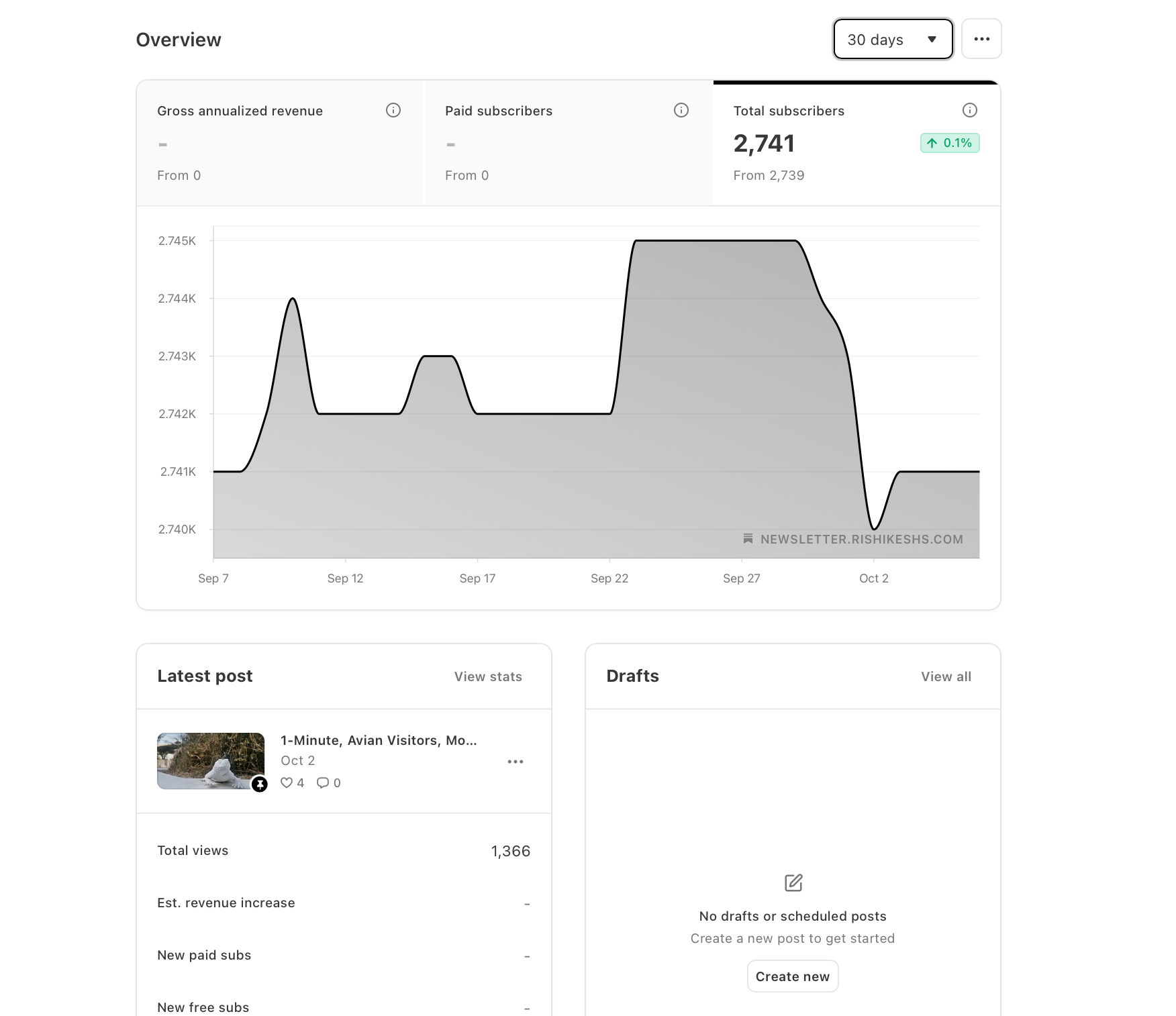
Click the card behind to switch
What writers find
Most engaged readers
Where you’ll be
When your readers open
Free users likely to upgrade
All computed locally. All actionable.
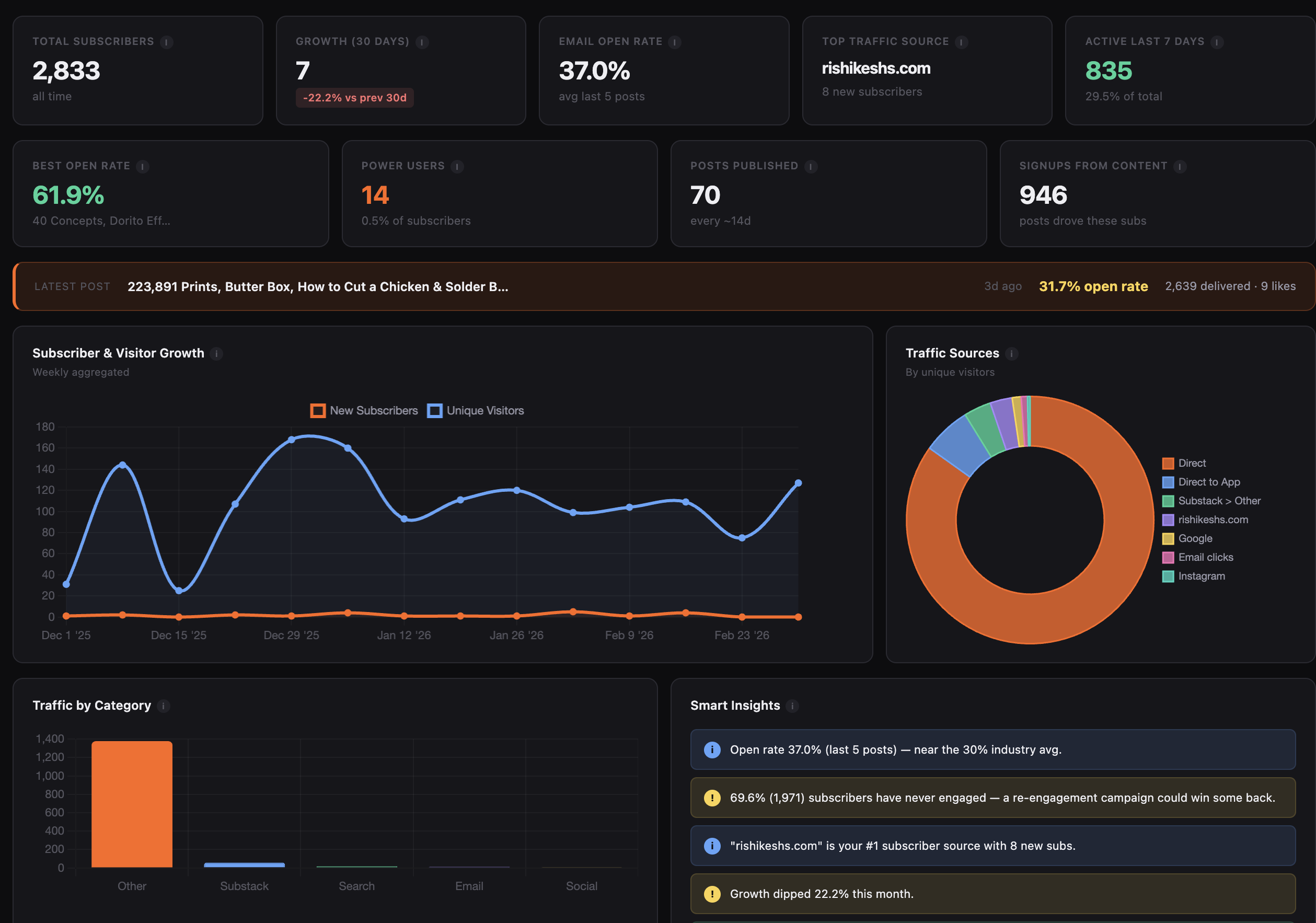
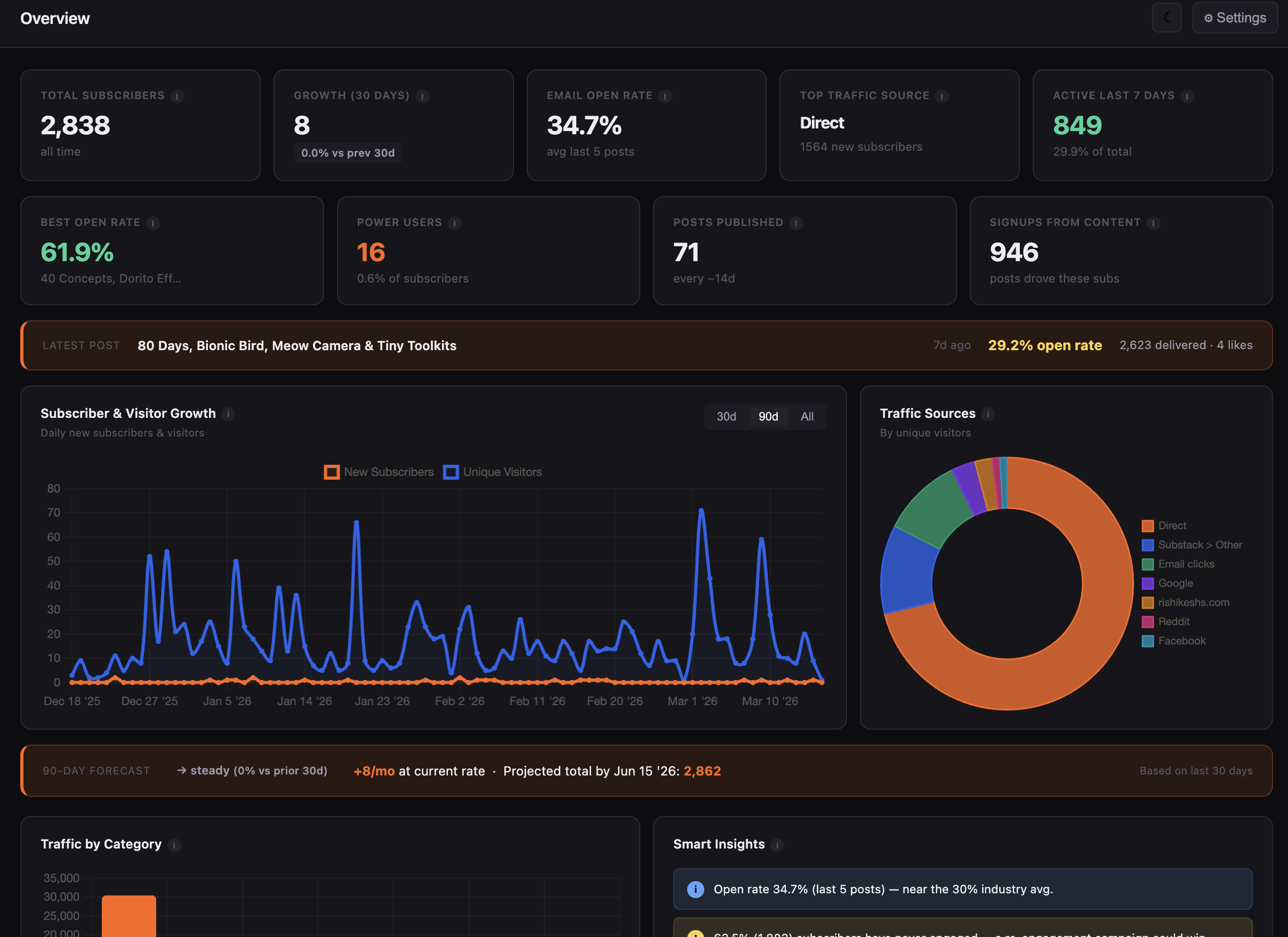
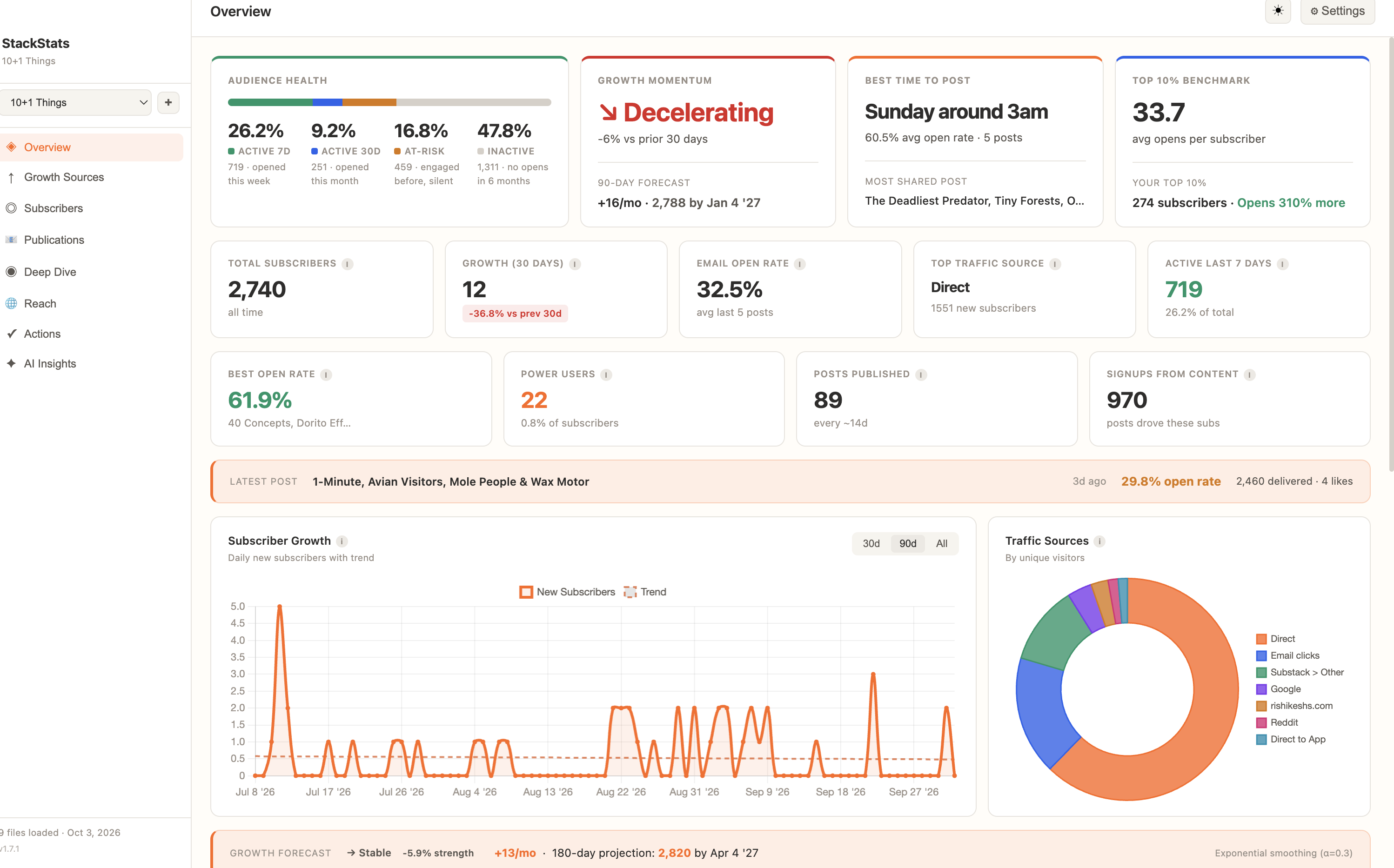
KPIs, 30-day growth, 180-day forecast, latest post performance — all at a glance.
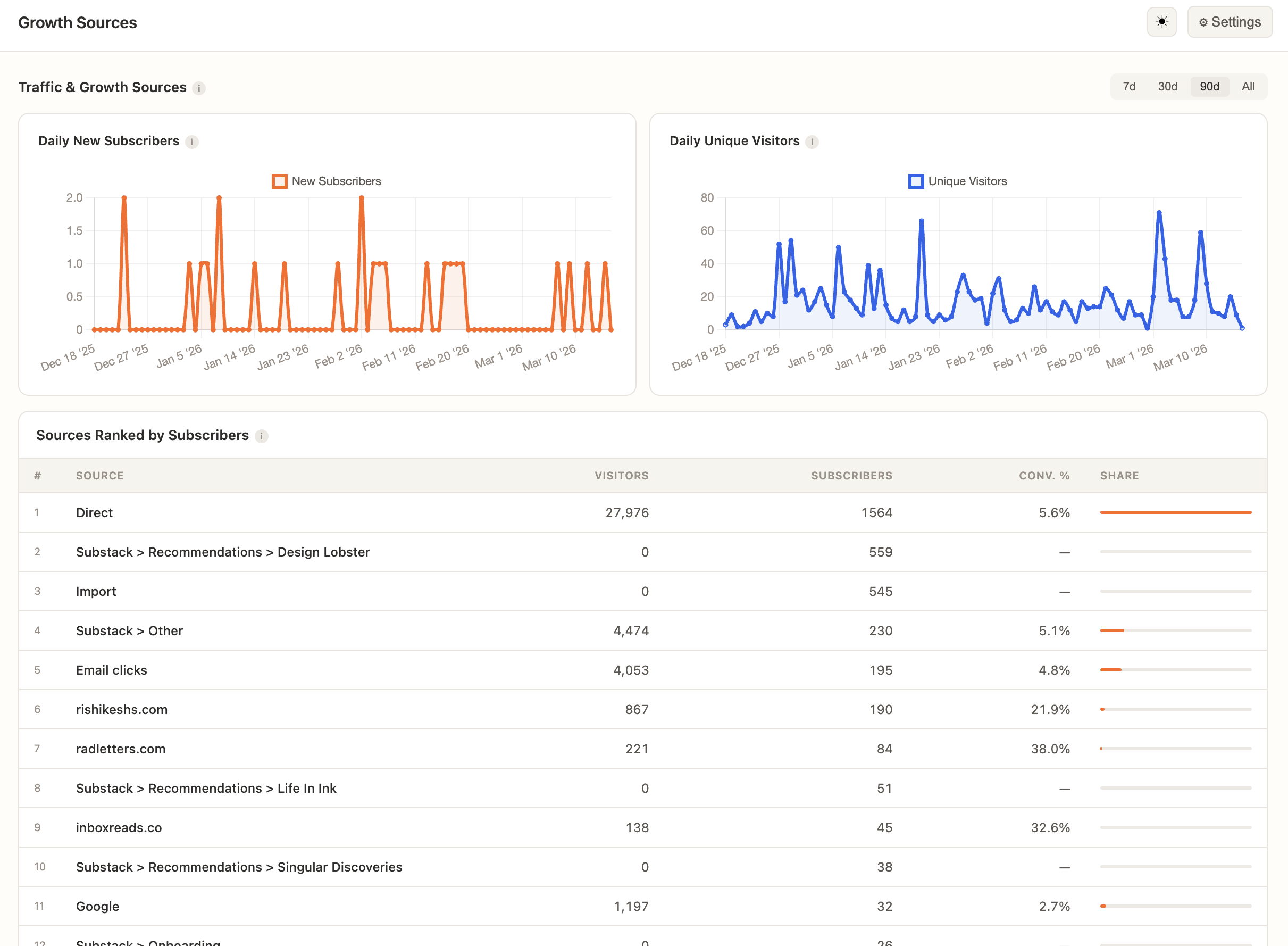
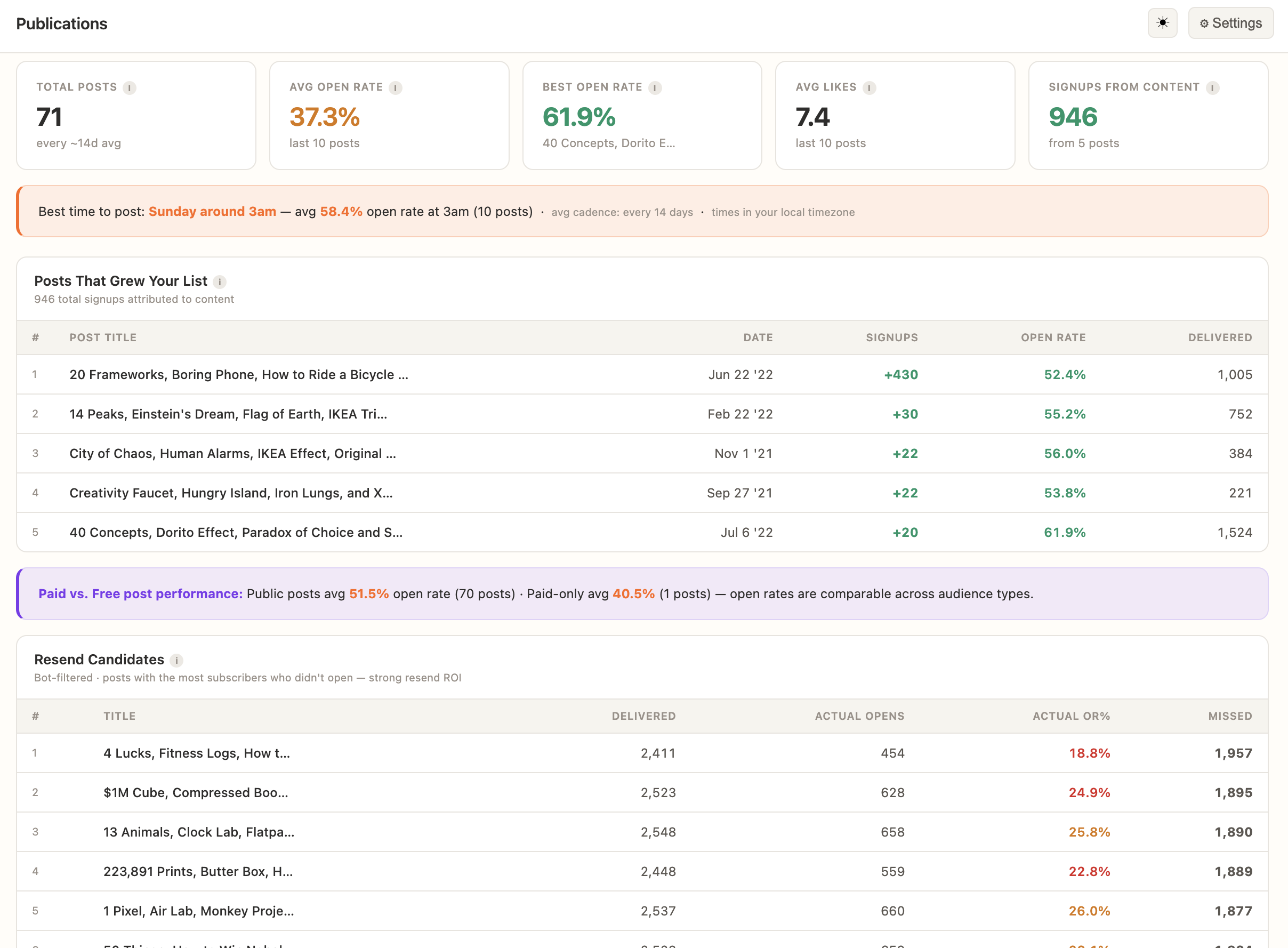
Which sources actually convert — and which posts drove real subscribers.
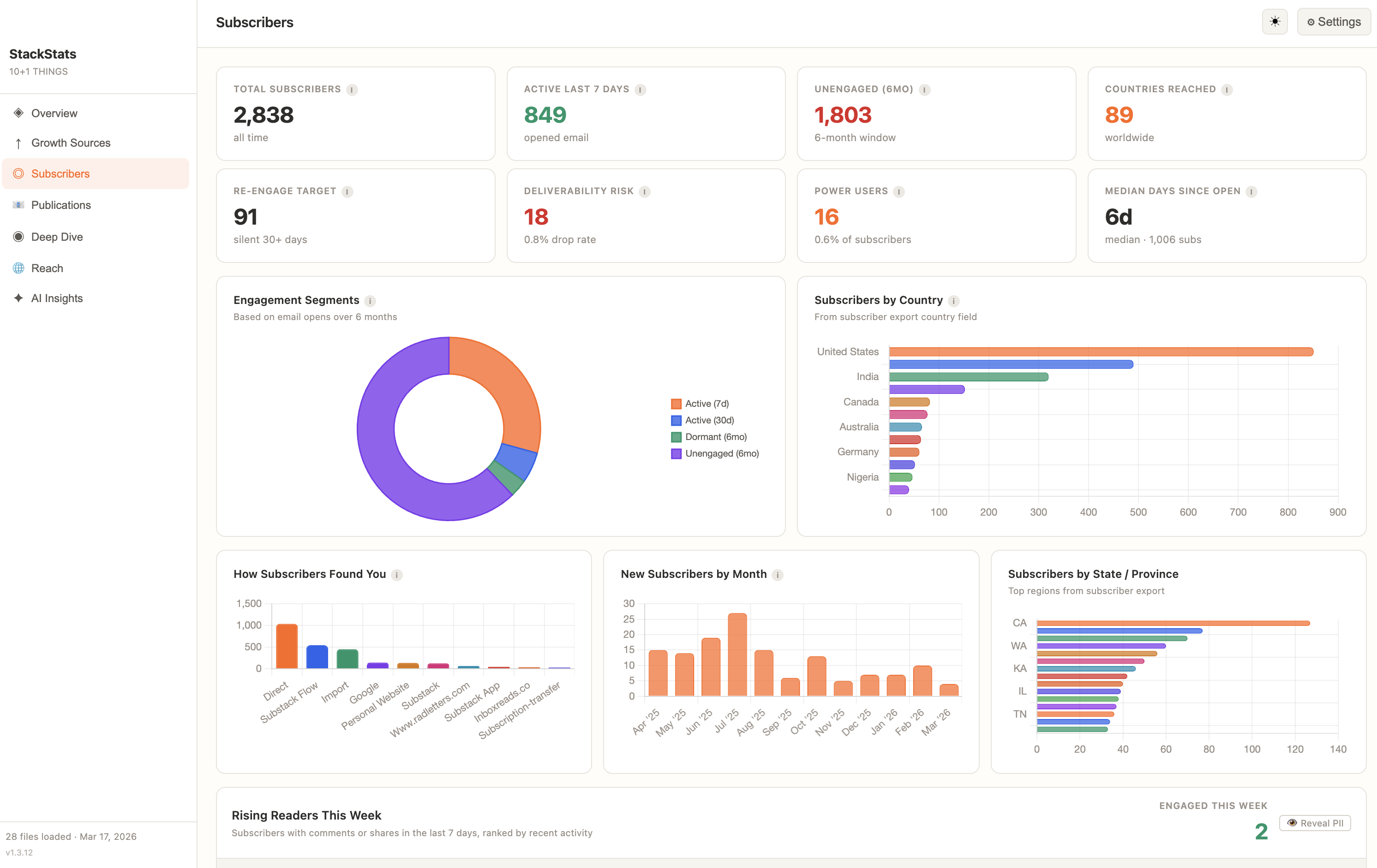
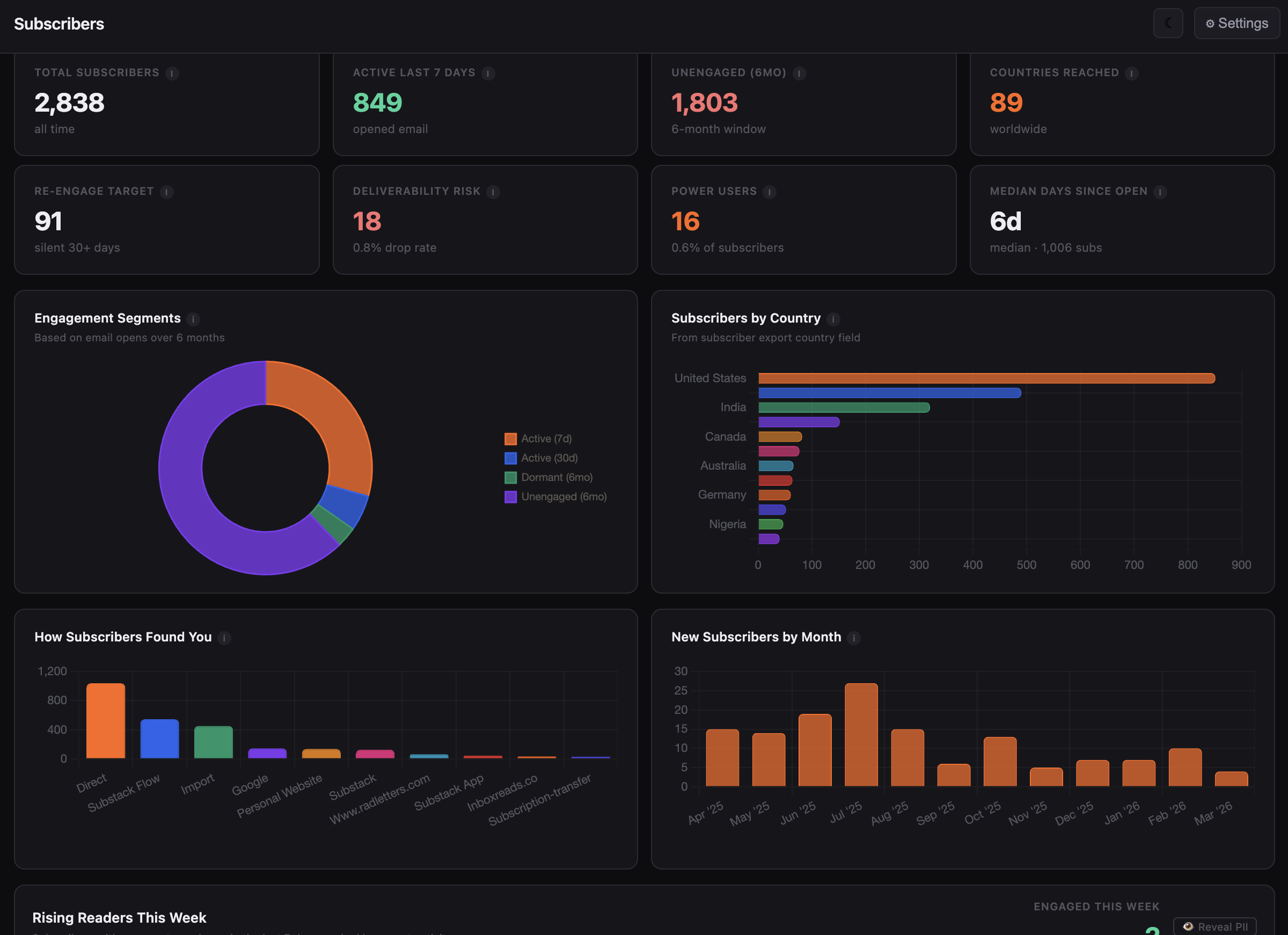
Engagement segments, conversion potential scoring, churn risk scores, power users.
Best day and hour to post, optimal send times based on when readers actually open, top growth posts.
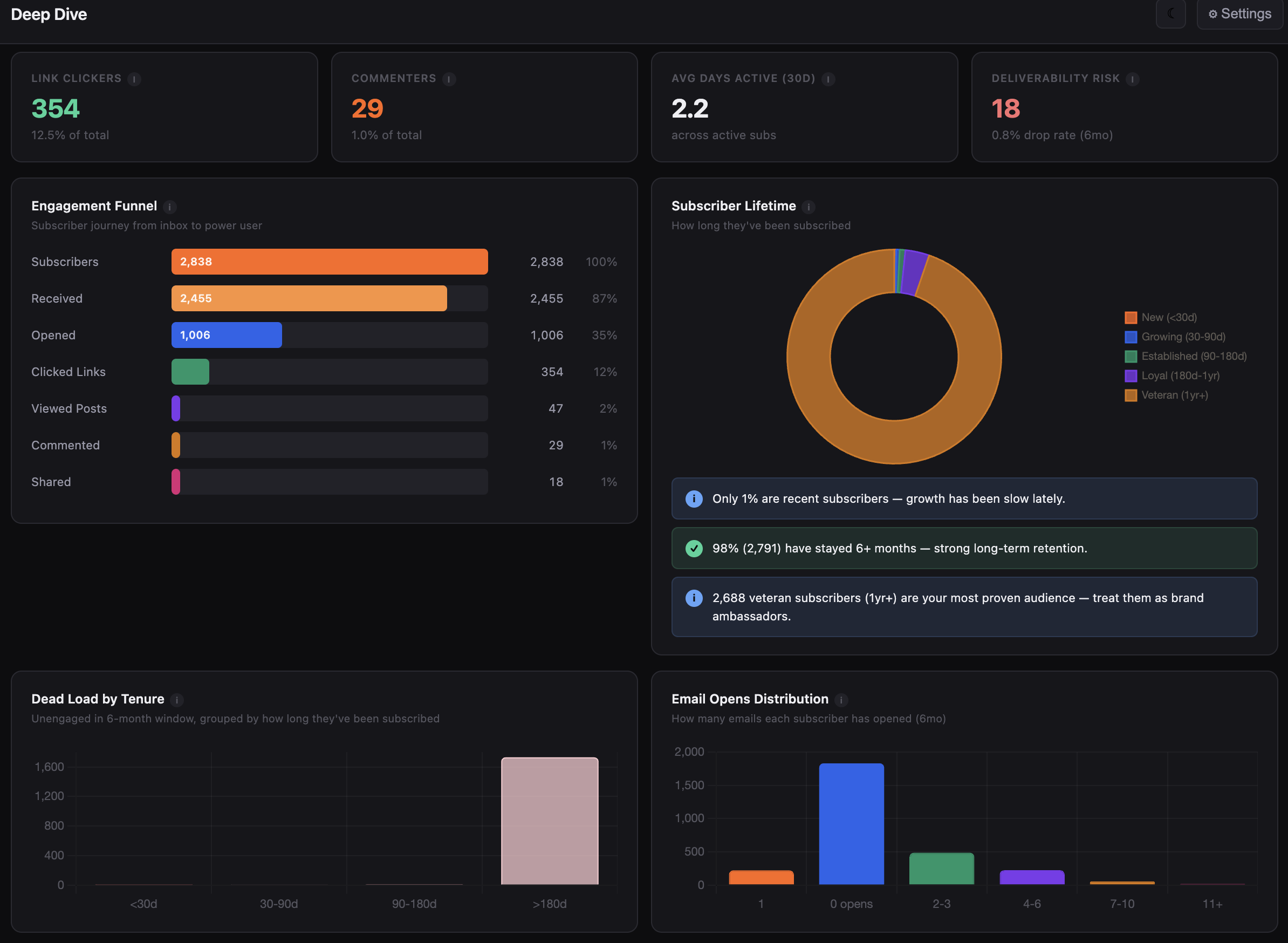
Cohort retention, open rate decay, engagement funnel, top readers scored 0–100, email client breakdown.
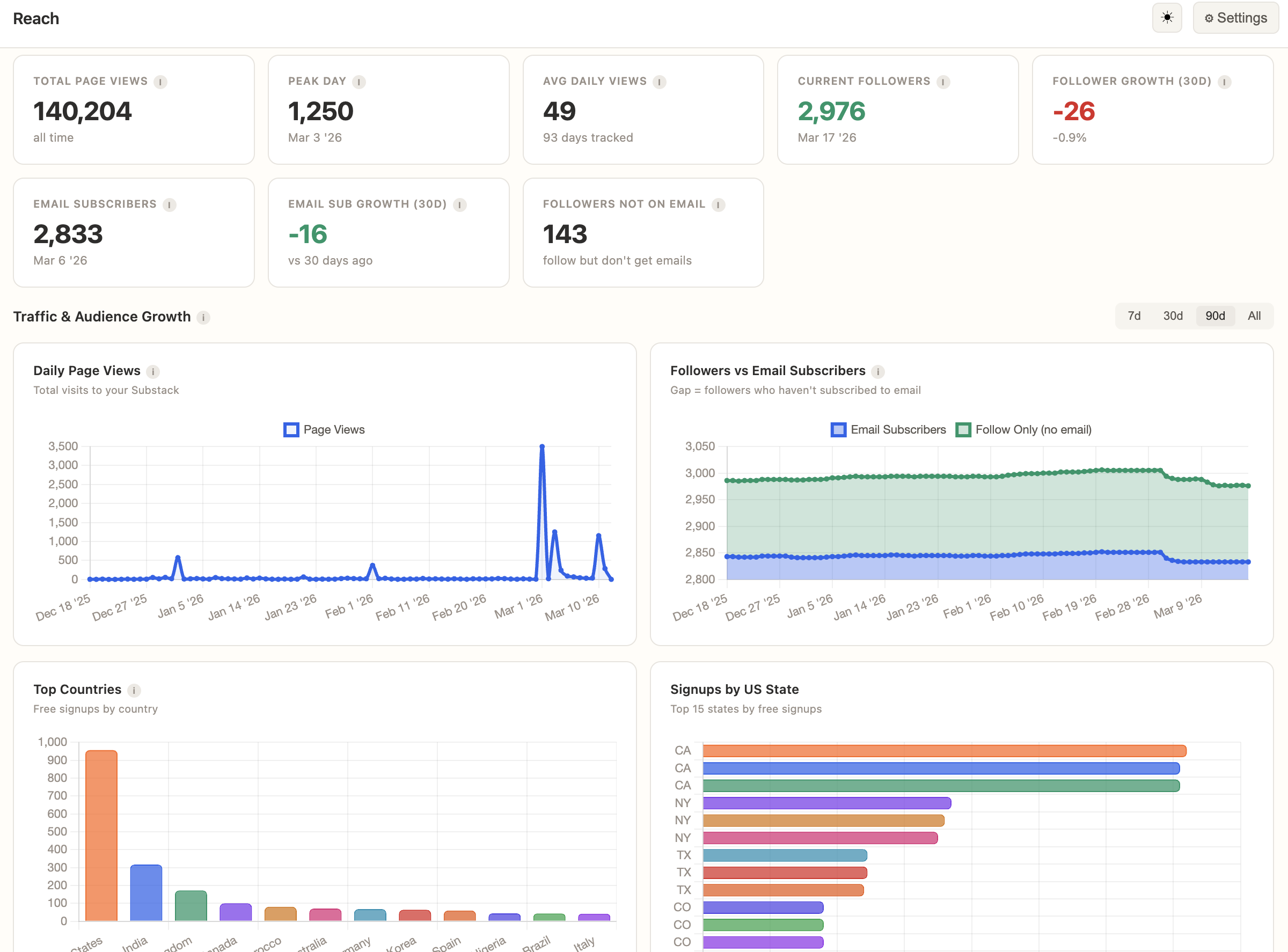
Page views, follower vs. email growth, audience by country and US state, which regions engage best.
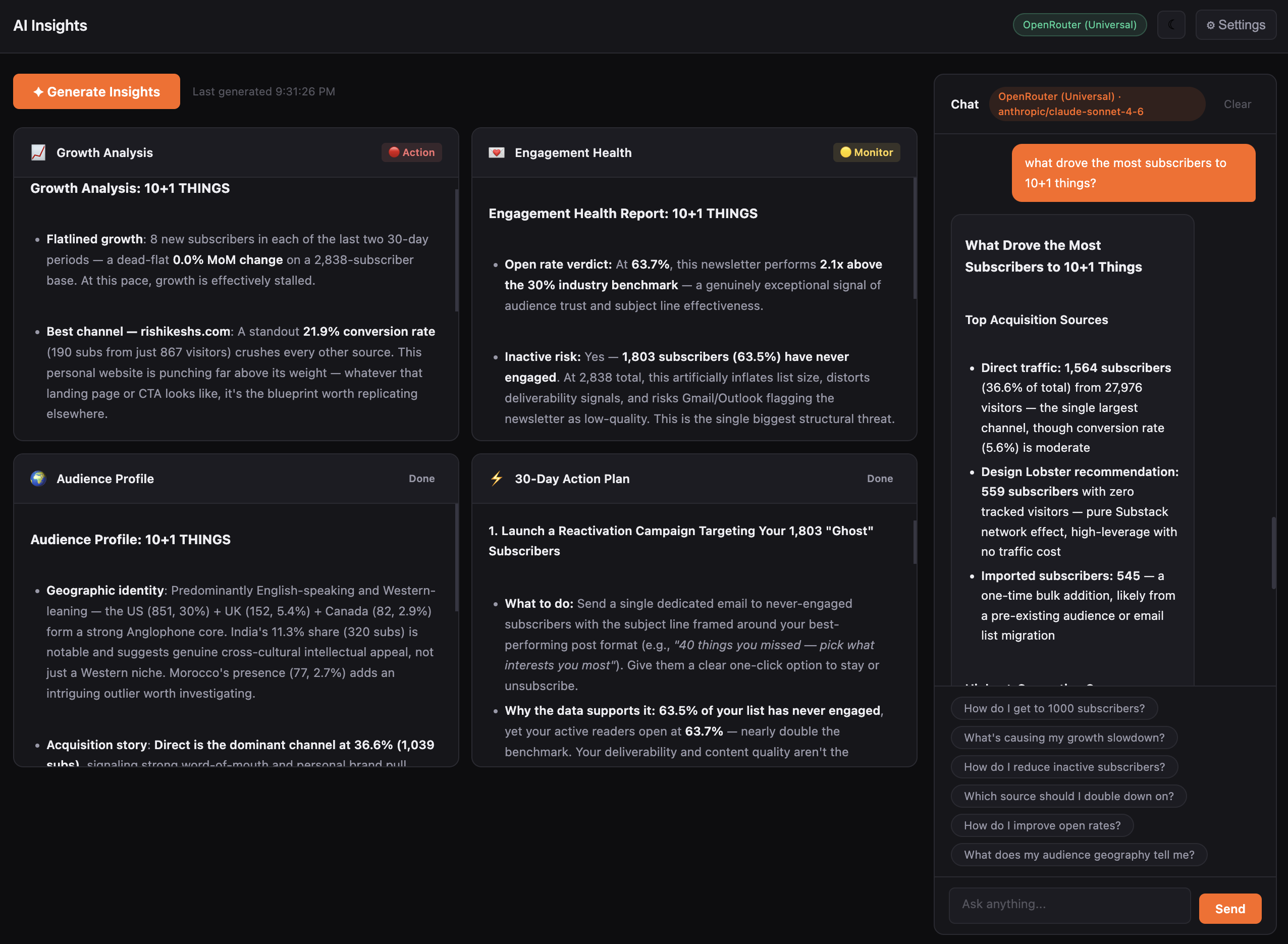
Growth analysis, 30-day action plan, and a chat window that knows your data.
Download and open the app on Mac or Windows.
Auto-Sync pulls all your data in one click. No CSVs, no manual exports.
Everything populates. Start exploring.
All analytics work without AI. But if you want a 30-day action plan, growth strategy, or a chat window you can ask “why did my open rate drop last month?” — it’s one setting away.
I write 10+1 Things, a weekly curated links newsletter on Substack with around 3,000 subscribers. I built StackStats because Substack’s dashboard couldn’t answer the questions I actually had. Who stopped reading. Which posts brought real subscribers. How my audience actually behaves over time.
I use it every week to see how my readers are engaged. It’s the tool I wanted and couldn’t find, so I made it.
No subscription. No account. No recurring charges.
Buy it today — it’ll be a better product next month.
View full changelog →